If a volunteer becomes ill and needs to be tracked as a pastoral care client:
Select the Admin menu to display the user list:
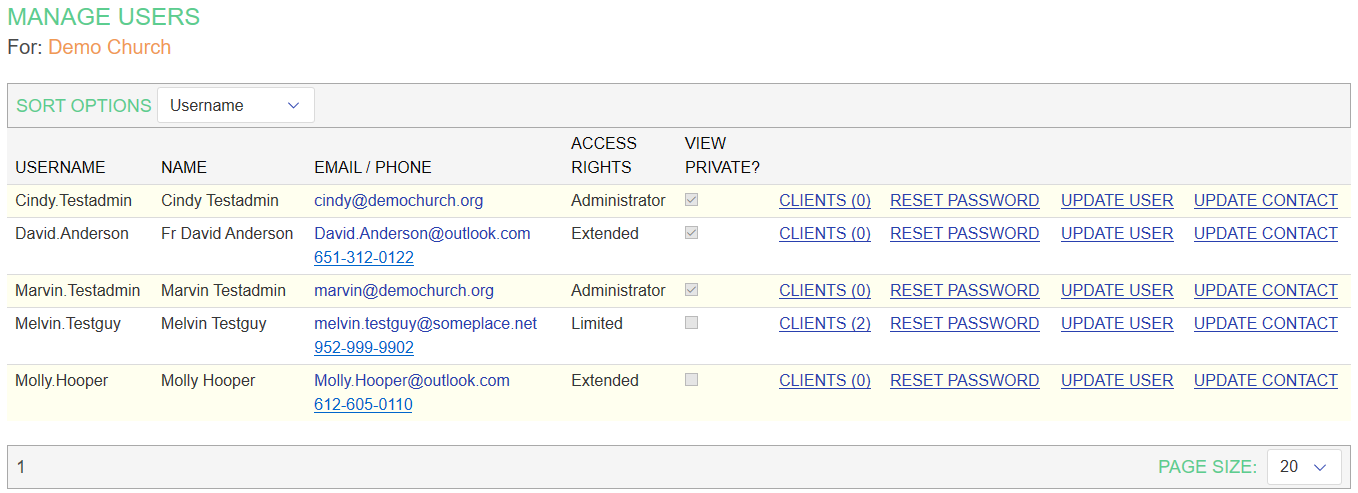
Find the name of the volunteer to be changed to a client, and click on the UPDATE CONTACT link. Their CONTACT EDITOR page will appear.
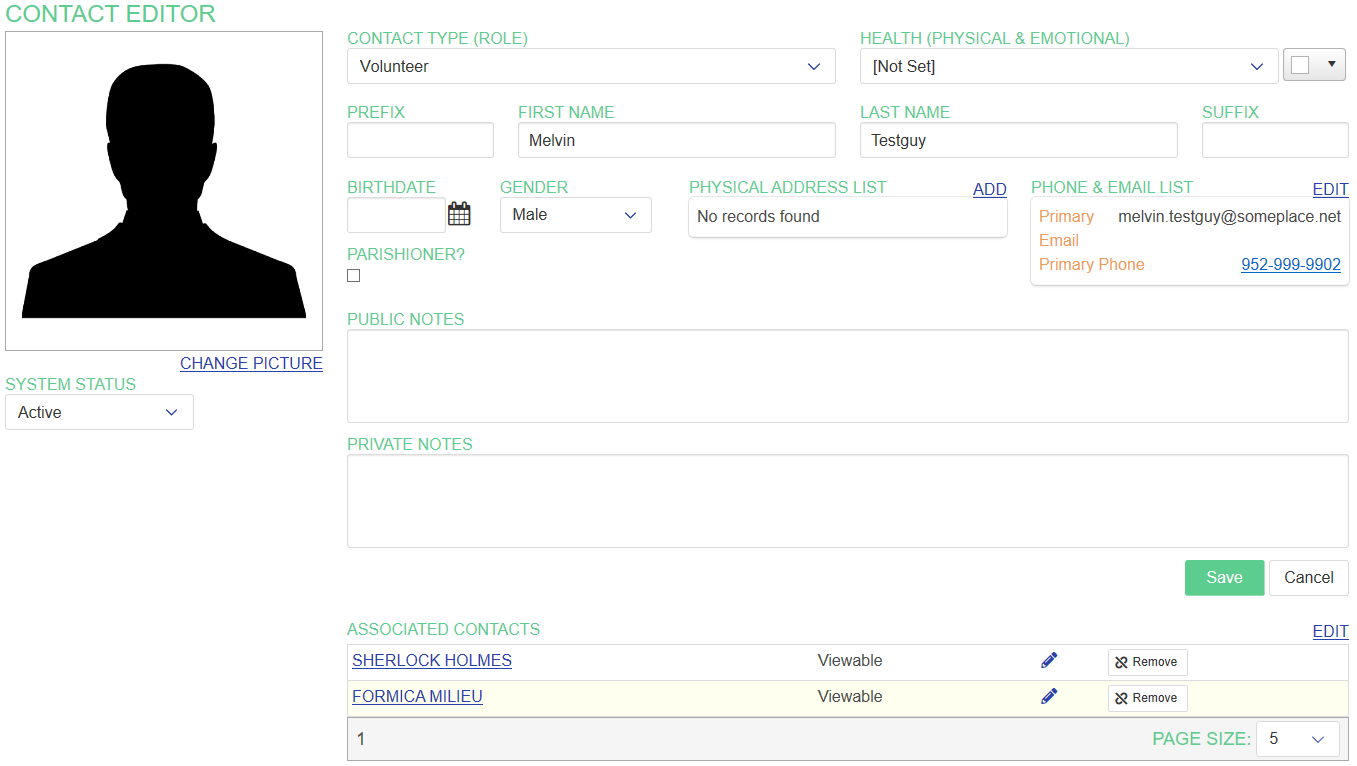
Change their CONTACT TYPE to Client, and if desired select a health status and condition color indicator. Then click Save.
The volunteer will now appear on the FIND page as a client. (They will still also appear as a volunteer because they have a user record.)